Welcome to On-Campus Student Housing at CSUSB

The Academic Year 2024-2025 student housing application opened on Thursday, February 1, 2024 at 12 noon PST in the Housing Portal. Students are encouraged to apply early as assignments are made based on application submission date and space availability.
Early Application Rates are available for First-Year, Returning (Continuing), and Transfer Students! Eligibility is for the full 2024-2025 Academic Year Student Housing License Agreement and adjustments will be applied to the student account for Spring 2025 billing.
- First Year and Transfer Students must submit their on-campus housing application by 11:59 pm PST on Monday, April 15, 2024 for the Early Application Rate
- Returning (Continuing) Students must submit their on-campus housing application by 11:59 pm PST on Friday, March 22, 2024 for the Early Application Rate
First year students are assigned to Coyote Village; returning (continuing) and transfer students can choose either Arrowhead Village or University Village!
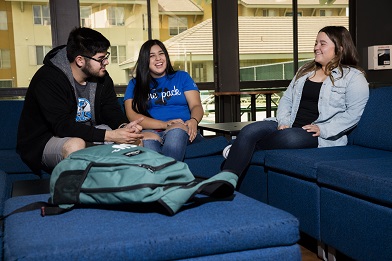

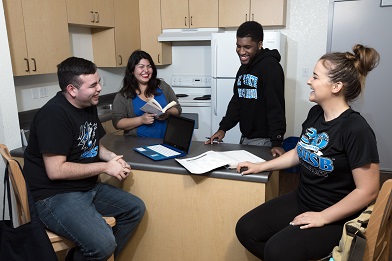
Live with the Pack
- Graduate in 4-years
- Achieve higher GPAs
- Engage in Living Learning Communities
- Receive academic support
- Live in a safe and healthy environment; 24/7 security
- Participate in free, exclusive activities and events
- Rent includes all utilities and WiFi
Convenient Living
Students recognize us for convenience, beyond just proximity to classes. We make living on-campus easy by charging your CSUSB student account for housing fees that include: room rent, utilities (electricity, water, heat, A/C, garbage and recycling), Wi-Fi, community and study spaces, academic support, and free social events.
Meaningful Connections
Research shows that students who live on campus have stronger connections with faculty, better relationships with their peers, and participate in more student activities.
Graduation Goals
Students who live on campus have higher graduation rates and graduate faster than those who live off campus.
Safe and Healthy Environment
Our residents' health and safety in University housing and around campus is important to us. All of our Villages are locked 24 hours a day and require card access. Housing and Residential Education, in coordination with the University Police Department, work to provide a safe and healthy living environment for all our residents. Health measures are in place to promote wellness.
Peace of Mind
There are no hidden fees or change of contract rates once you move in. If someone moves out of your room or apartment, you will never be obligated to pay their bill; and if you are having issues in your room, our staff can help! We encourage you to contact the Office of Financial Aid and Scholarships regarding how best to finance living on-campus.
Dining and Healthy Eating
The CSUSB dining experience is more than great food. It is a community experience centered around a variety of food choices and healthy options. Coyote Commons offers an array of all-you-care-to-eat selections. Coyote Village residents are required to choose a meal plan, and returning (continuing) and transfer students can purchase a voluntary plan. Visit Yotie Eats to learn more.
View the video below to listen to a resident's perspective regarding living on campus.